


Overview
Product
Launch Control is a CRM and SMS marketing platform for real estate professionals in the USA, covering workflows such as messaging, calling, automation, campaign management, and reporting.
Role
I worked in a design team of 6 people as a UX/UI designer. I collaborated with customer success, customer support, development and marketing teams.
Duration
Project lasted 12 months.
Challenge
Problem
When I joined the team, the platform was already a success story with a large user base. This happened in just a few years, development was rapid, and the team was growing fast. This led to significant design debt. There was no clear design direction, and many screens had completely different styles. UX was suffering, which was visible in retention rates and the number of support tickets.
Constrains
While the work of improving visual clarity was being done, rapid development of the platform had to continue, so the design team was usually stretched across multiple parallel projects. Another major constraint was complying with government regulations related to the real estate market. It was clear that something had to be done with the design, but the founder wanted to preserve the key aesthetics of the existing platform. New approach had to answer these key questions:
How to balance work on fixing what's already done and design new feature?
How to stay compliant with regulations with fast moving company?
How to keep key aesthetics when there's no clear design language?
Approach
Research
The company already had well developed Customer Support and Customer Success departments that collected data regarding user retention, churn, pain points, and difficult onboarding steps. Some long-term users even created detailed videos describing frustrating parts of the platform.
Key insights
All issues reported by users and confirmed by the data can be boiled down to two main conclusions:
Platform was not following basic heuristic principles. Most user needs were already covered by the platform, but features were often not intuitive enough or were difficult to find.
One key feature users were expressing interest was better campaign management, the feature did exist at that time but had limited capabilities. Users demanded auto response, statistics and automations.
Design Decision
We decided that we need to streamline the whole teacher-student workflow and cover all main needs in one integrated platform solution with a special care to user experience.
Conduct a full platform audit and collected all versions and variations of components (buttons, input fields, modals, tables, etc.) so that we could evaluate them and get a clear picture of the scale of the design debt, and figure out key visual elements which can help us in creating new design system.
Create new design system that would solve a lot of confusion.
Do a thorough competitor analysis, take into account all the user input and develop new campaign feature.
Solution
New feature was developed through 4 key steps:
Competitor analysis
We scanned through 20 top SMS marketing apps and decided to pick 5 most relevant for our case. I went trough all available public data about all of them and created LoFi UX flows, so that the team can easily understand how they work and be able to discuss it.


Here you can see UX flows for campaign management from competitors:


LoFi UX flowchart
It gave a bird’s eye perspective of the general approach to the feature. It was useful for defining key concepts, and developers could provide a technical assessment and rough development estimates.
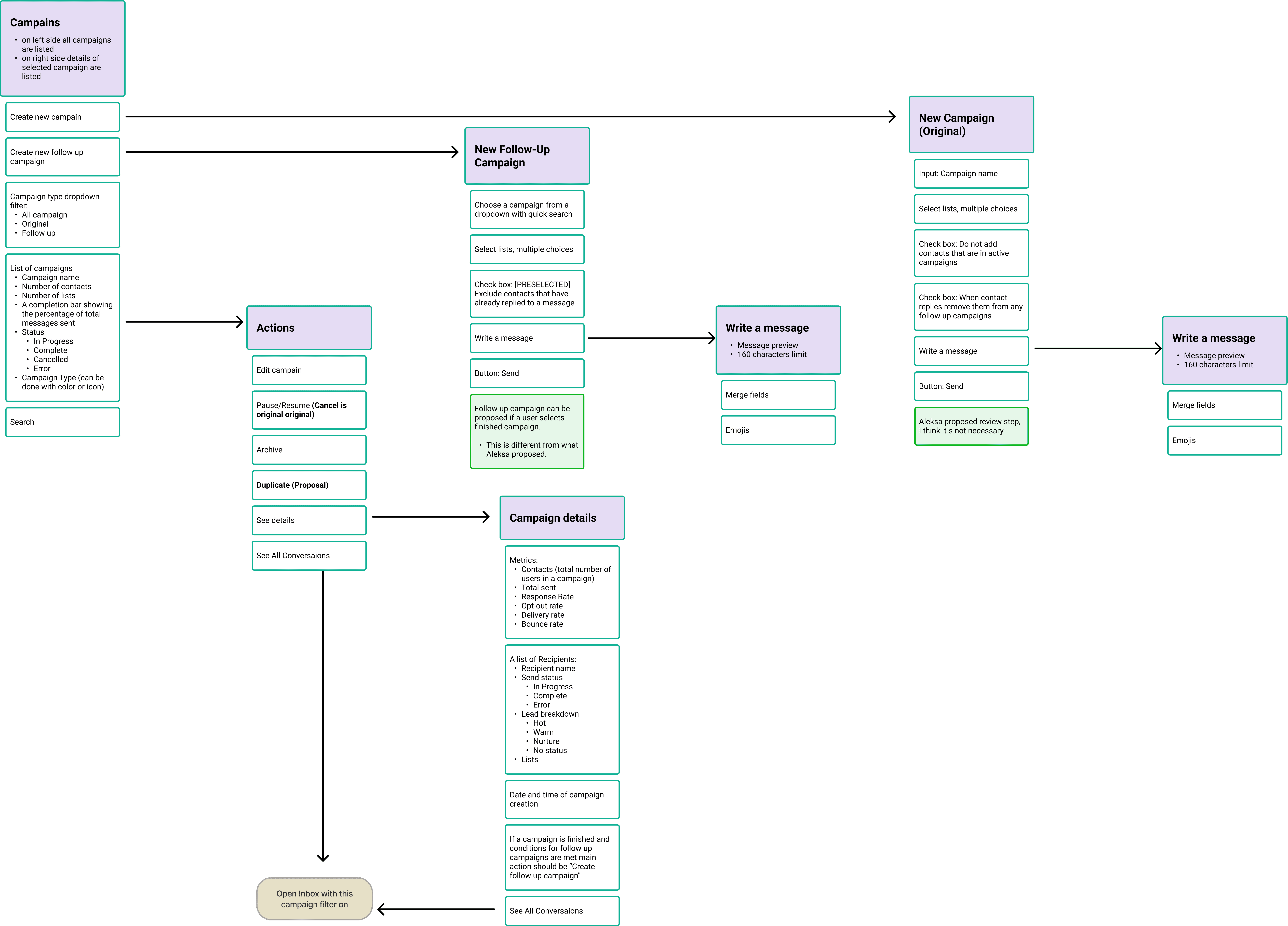
HiFi UX flowchart
It provided a more detailed view of the feature, covering error states, edge cases, and information architecture. This allowed the design team to evaluate whether we had addressed all the user needs we decided to focus on, while developers could provide more accurate estimates for their implementation work.

HiFi wireframe UX flowchart
This is usually the final step in the process, where all details are covered, including modals, tooltips, states, empty states and interactions. Normally, final screen designs would be created at this stage. However, since the new design system was being developed in parallel with this feature, I used high-fidelity wireframes to communicate the solution.

Final designs
Once the design system was ready, the wireframes were translated into the new visual language and components. Here you can see some of the final screens.


Design System
Although the platform initially had limited consistency across screens, a full audit revealed a set of recurring patterns and components that could serve as the foundation for a new design system. This allowed the new system to evolve as a cleaner, more polished iteration of the product, rather than a complete redesign.
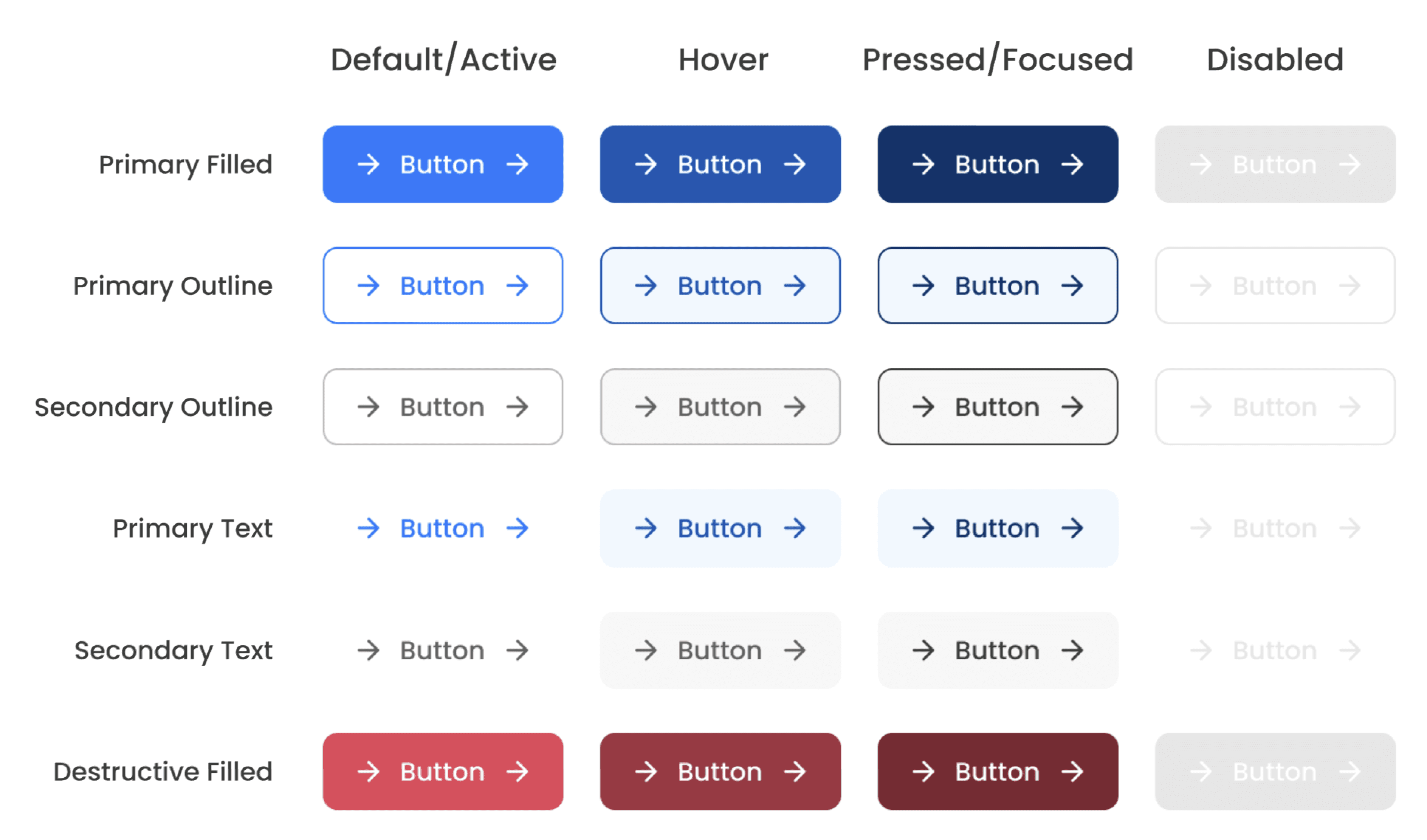
The design system defined core elements such as color styles, spacing values, typography, and an icon set. It also standardized key components such as buttons, input fields, modals, dropdowns, and many more.
Dashboard underwent the most significant transformation, being rebuilt from the ground up based on research findings and user input.


Impact
Results
Improved visual consistency made the platform easier to learn and navigate which made onboarding new customers easier.
Consistent interaction patterns reduced the cognitive load required to move between different parts of the platform, churn went down and user retention got better.
Key actions became easier to discover, reducing frustration caused by hidden or difficult-to-find functionality.
Existing users were able to benefit from UX improvements without having to relearn the product due to a drastic redesign - new design system was well received.
By using updated campaign feature users managed to get higher conversion rates.
Reduced time needed to create and launch campaigns by automating setup, targeting, and scheduling steps.
Lessons learned
Customer support and customer success teams can be one of the most valuable sources of UX research in established products.
Preserving familiarity can be just as important as introducing improvements, especially for products with a large existing user base.
Design systems are not only a visual tool but also a way to manage complexity across fast-growing teams.